Livinit for Real estate agents
Let buyers walk through the home from anywhere.
Scan a home with a phone and give buyers a floor plan and a 3D tour they can explore from anywhere.
One phone scan gives your listing a 2D floor plan and a 3D model buyers can explore, empty or with virtual staging clearly labeled.

Help buyers understand the home before they visit.
One phone scan gives your listing a floor plan, a 3D model and a tour link, empty or with clearly labeled virtual staging.
- Scanning room…One phone scanWalk each room once
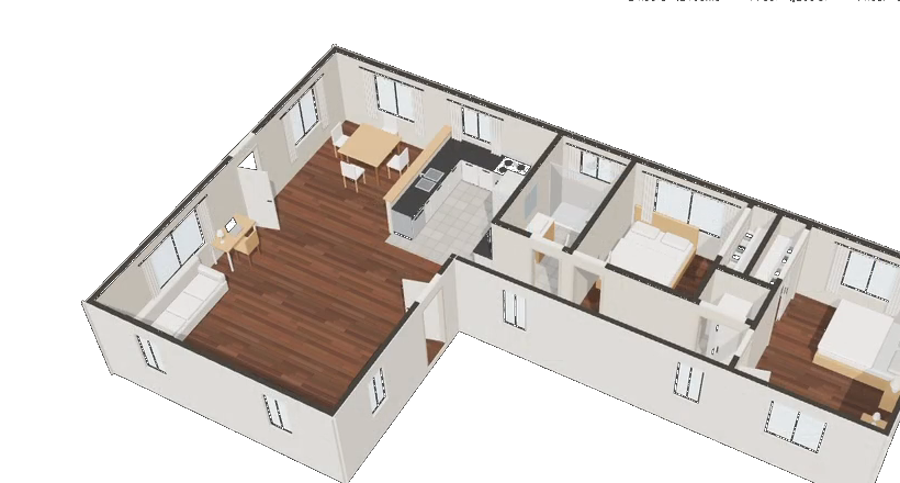 3D modelFloor plan and 3D modelEvery room and its size
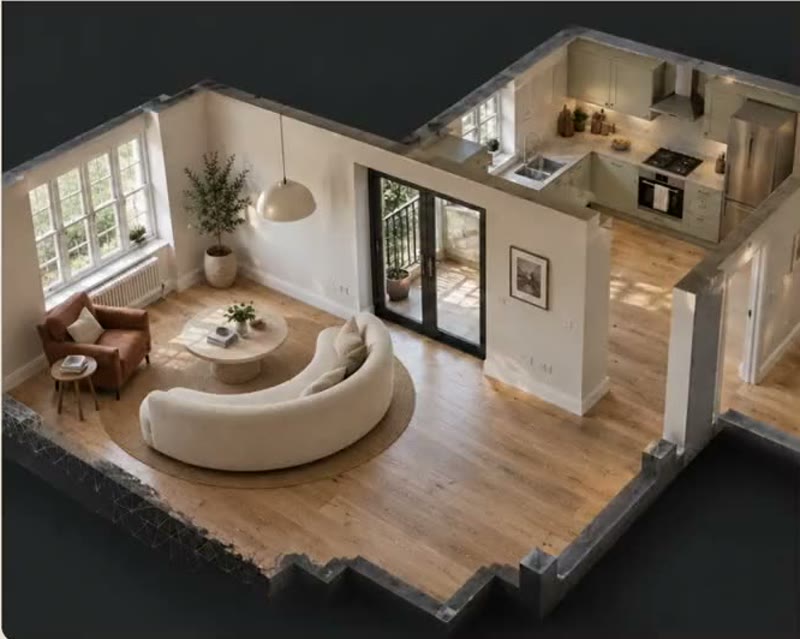 Tour linkHosted 3D tourA link for every listing
- Virtually stagedEmpty or stagedSwitch, clearly labeled
Will a king bed fit in the second bedroom?
LiviYes. The room is 12 × 13 ft, with 30 in on each side of a king bed.
Ask Livi anything…
Livi answersBy voice or text, in their language- From anywhereRemote buyersAny room, any time
Why agents use Livinit
Give every listing a tour buyers can walk.
Photos show rooms. A floor plan and a 3D tour show how the home fits together, so buyers arrive knowing what they want to see.
- From one scan
Floor plan and 3D model
From one phone scan.
Walk each room once and get a to-scale floor plan and a 3D model of the home.
What it means for youListings buyers understand
- Virtually staged
Empty or staged
Clearly labeled, either way.
Show the home empty or furnished at true size, and let buyers switch between them.
What it means for youEmpty rooms that feel livable
Will a king bed fit in the second bedroom?
LiviYes. The room is 12 × 13 ft, with 30 in on each side.
Ask Livi anything…
Answer buyers any time
Livi, by voice or text.
Buyers ask about sizes and rooms in their own language, day or night.
What it means for youBetter informed showings
The bottom line
More buyers who already know the home.
Remote buyers explore every room, and the ones who book a showing arrive ready.
- One phone scan
- Floor plan and 3D model
- A hosted tour link
- Livi answers questions
How a listing comes together
From one scan to a listing buyers understand.
All from a phone, in one visit.
- Scanning room…1
Scan the property
Walk each room with a phone.
- 2
Get a floor plan and 3D model
To scale, with every room and its size.
- Tour link3
Buyers explore remotely
Any room, any angle, any time, empty or furnished.
How big is the kitchen?
LiviIt is 14 × 12 ft, with an island and room for four stools.
Ask Livi anything…
4Livi answers their questions
By voice or text, in their own language.
Screens are example visualizations.
What changes for you
Your listings, with Livinit.
Fewer wasted showings. Better informed buyers.
TodayWith Livinit
- ✕Buyers piece the layout together from photos.✓They see a to-scale floor plan and walk a 3D tour.
- ✕Out-of-town buyers wait to visit.✓They explore every room from anywhere, any time.
- ✕Empty rooms look small and hard to picture.✓Buyers switch to clearly labeled virtual staging at true size.
- ✕Questions about room sizes come by phone at night.✓Livi answers them by voice or text, in the buyer's language.
Tools for real estate agents
Everything a listing needs, from one scan.
Floor plans, tours, staging and new construction.
- Virtual Home ToursFloor plans and toursA 2D plan, a 3D model and a tour link from one scan.See how it works
- AI Design StudioVirtual stagingFurnish empty rooms at true size, clearly labeled.See how it works
- Builder OptionsNew constructionFurnished plans for homes not yet built.See how it works
Screens are example visualizations.
Simple setup
Your next listing, ready in one visit.
All you need is a phone.
- 01
Scan the home
Walk each room with a phone.
Scanning room… - 02
Get the plan and model
A to-scale floor plan and 3D model.
- 03
Choose empty or staged
Virtual staging is always labeled.
Virtually staged - 04
Share the tour link
On the listing and with buyers.
Tour link · 123 Elm St
Virtual staging is always labeled. Room sizes are for orientation; buyers should verify measurements.
- Just a phone
- Floor plan export
- Hosted tour link
What we measure
See how buyers explore each listing.
1Listings
Active listings
123 Elm St3 bed · tour live
412 views48 Oak Ln2 bed · staged
268 views9 Park Ave4 bed · scanned
New
- Listings
- 9
- Tours
- 8
- Staged
- 5
2Tours
Tour visits
1,840
visits across listings
- Remote
- 1,120
- Repeat
- 430
- Shared
- 290
3Rooms
Most viewed rooms

Living room123 Elm St
620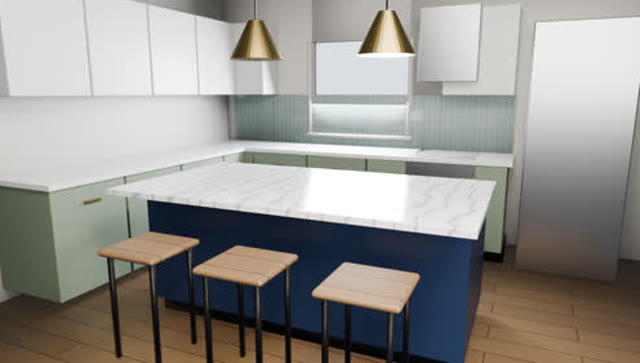
Kitchen123 Elm St
540
Bedroom48 Oak Ln
390
4Showings
Showings booked after a tour
46
- Livi answers
- 212
- Showings
- 46
- Offers
- 7
Numbers come from your own listings and tour links.
Frequently asked questions
What agents ask before getting started. Something else? Email hello@livinit.ai.
1. What do we need?
A phone. Walk each room once and Livinit builds a 2D floor plan and a 3D model.
2. Is virtual staging labeled?
Always. Buyers can switch between the empty home and the clearly labeled staged version.
3. How do buyers see the tour?
Through a hosted tour link you add to the listing or send to buyers.
4. Can we export the floor plan?
Yes. Export the 2D floor plan for the listing and your marketing.
5. What can buyers ask Livi?
About rooms, sizes and what fits, by voice or text, in their own language.
6. Are the room sizes exact?
They are to scale for orientation. Buyers should verify measurements before relying on them.
See Livinit on one of your listings.
Scan a room with your phone. We'll show you the floor plan and the tour.