Livinit for manufacturers
Show every option of every piece, before you make it.
Your whole range in true-size 3D, configurable by part, on your site and your dealers' sites.
What is Livinit for furniture manufacturers?
Livinit is spatial intelligence for living spaces. For manufacturers of residential and contract furniture, it turns the product photos and dimensions a manufacturer already has into to-scale 3D models with every option the manufacturer supports, then shows them in shoppers’ own rooms. The line can be embedded on dealer sites under the dealer’s brand and shown on kiosks and tablets in dealer showrooms, run as a configurator on the manufacturer’s own site, and rendered into room scenes and product images for marketing without a new photo shoot. Each frame shows only the fabrics, finishes and sizes the manufacturer allows, and saved selections carry product, part and option codes. No CAD files are needed, the first 100 products are converted to 3D free, and a manufacturer can be live in about a week.
Sell it all in 3D, at true size
- Retail furniture (indoor / outdoor)
- Custom furniture
- Decor
- Rugs
- Paintings and artwork
- Landscaping
What it changes
Approve each product once, then sell it on every channel.
One source
Approved once
Your team signs off each product and its options in one place.
Every channel
The same product
On your site, your dealers' sites and your reps' tablets.
Your rules
Only what you make
Combinations you don't build can't be ordered.
The products you'd use
Four products, most useful first.
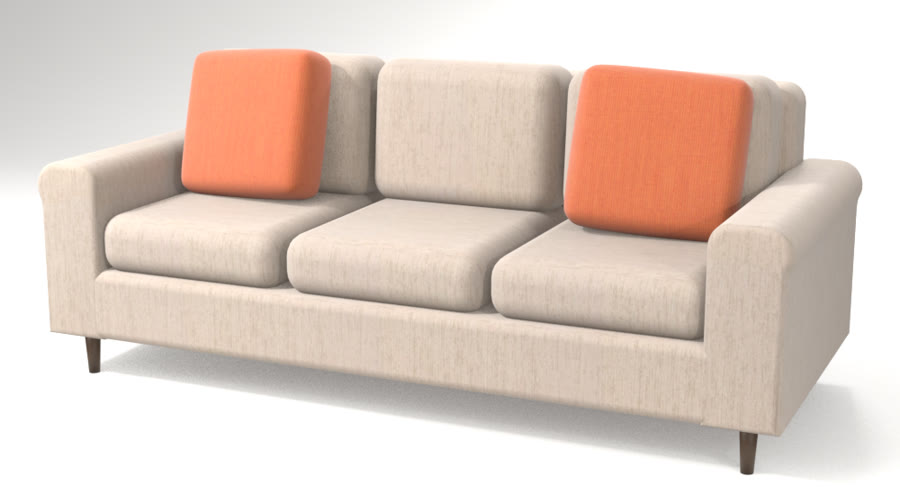
- 3D CatalogYour whole catalog in 3DBuilt from your spreadsheet and photos, with every option you sell.See how it works
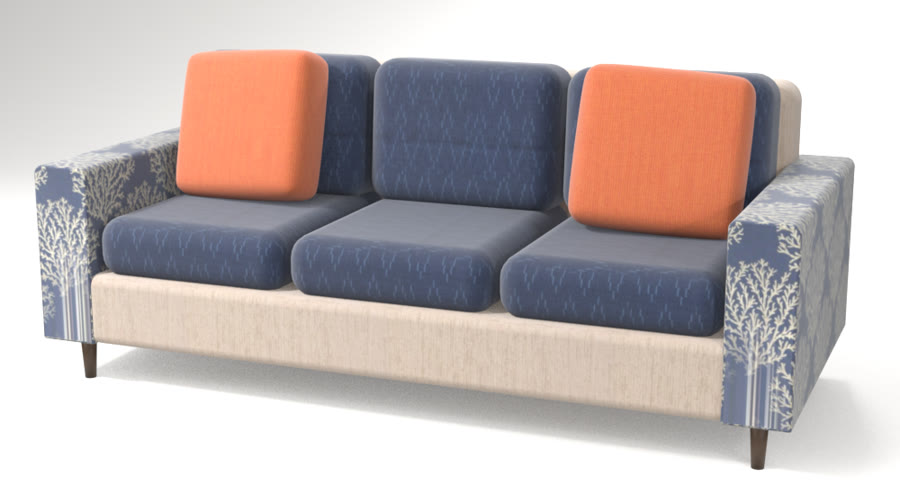
- Fabric ConfiguratorCustom upholstery clients design themselvesArm styles, seats, tufting and a fabric for each part, priced as they go.See how it works
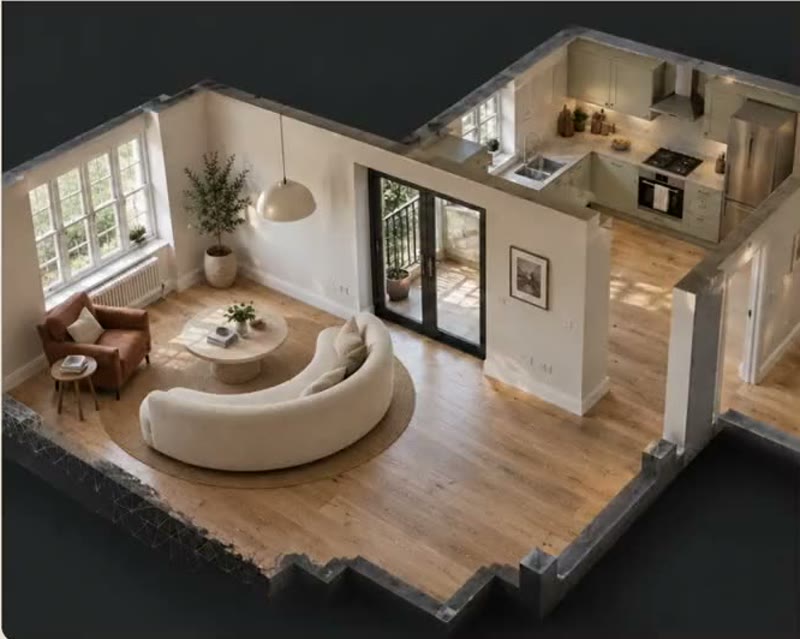
- AI Design Studio3D design studio with shoppable productsCustomers ask Livi for a room, and get one from your range, ready to buy.See how it works
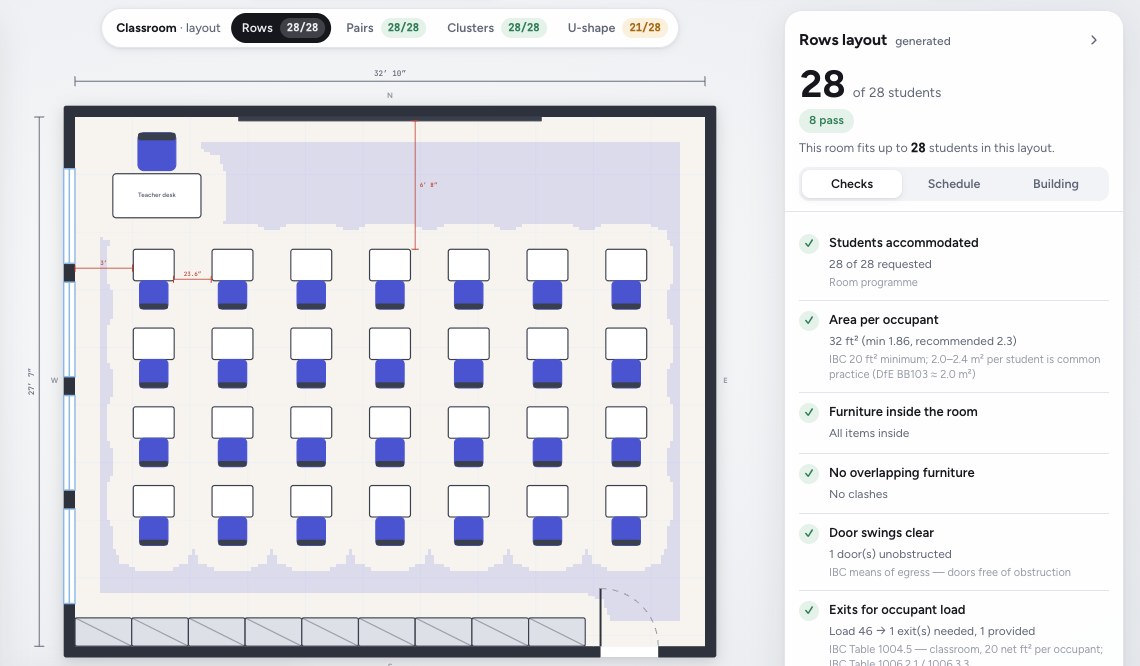
- Commercial PlannerPlan classrooms, senior living and hotelsRoom by room from your approved catalog, with capacity and clearance checks.See how it works
Onboarding
From your spreadsheet to every dealer channel.
- 1
Send a spreadsheet and photos
Your products, sizes, prices and options. You don't need 3D files.
- 2
We build every piece in 3D
To scale, with every part and option you make. Your team signs off on it.
- 3
Dealers and shoppers configure it
In their own rooms, with Livi suggesting what goes with it.
- 4
Orders come with every option
Each part, finish and size, ready to make.
We do the 3D setup. Your team approves every product before any dealer sees it.
Questions.
Something else? Email hello@livinit.ai.
Do we need CAD files?
No. Livinit doesn’t need CAD files; product photos and dimensions are enough. Livinit converts them into to-scale 3D models, and the first 100 are free.
Who checks that the models are accurate?
The manufacturer’s own team reviews each Livinit model and its options against its specifications before anything goes live, and Livinit corrects anything that doesn’t match.
Can our dealers use it under their own brand?
Yes. Livinit can embed a manufacturer’s line on dealer sites under the dealer’s brand and show it on the dealer’s kiosks and tablets.
Will it follow our option rules?
Yes. In Livinit, each frame shows only the fabrics, finishes and sizes the manufacturer supports for it.
How does a selection become an order?
A Livinit selection becomes an order through its codes: each saved selection carries the product, part and option codes, so it goes into the manufacturer’s order process or the dealer’s.
How fast are new products added?
Livinit adds new products in days: send them in the same CSV format, and they’re converted and added.
How fast can we go live?
Manufacturers go live with Livinit within a week: they send their catalog CSV on day 1, Livinit builds the products in 3D on days 2–5 and the line is live wherever the manufacturer sells within the week.
How much does it cost?
Livinit converts a manufacturer’s first 100 products to 3D free. After that, pricing depends on how many products are added and where they’re used: the manufacturer’s site, its dealers’ sites and stores, or marketing renders. Livinit quotes it on one call, before any work starts.
See Livinit with your own range.
Send us a spreadsheet of a few products. We'll show you them, configured, on a dealer page.