Let customers configure furniture and fabrics.
Livinit’s furniture configurator lets customers choose supported fabrics, finishes, sizes and trims for each part of a piece, see the result in a room and share the selection.
What is the Livinit furniture configurator?
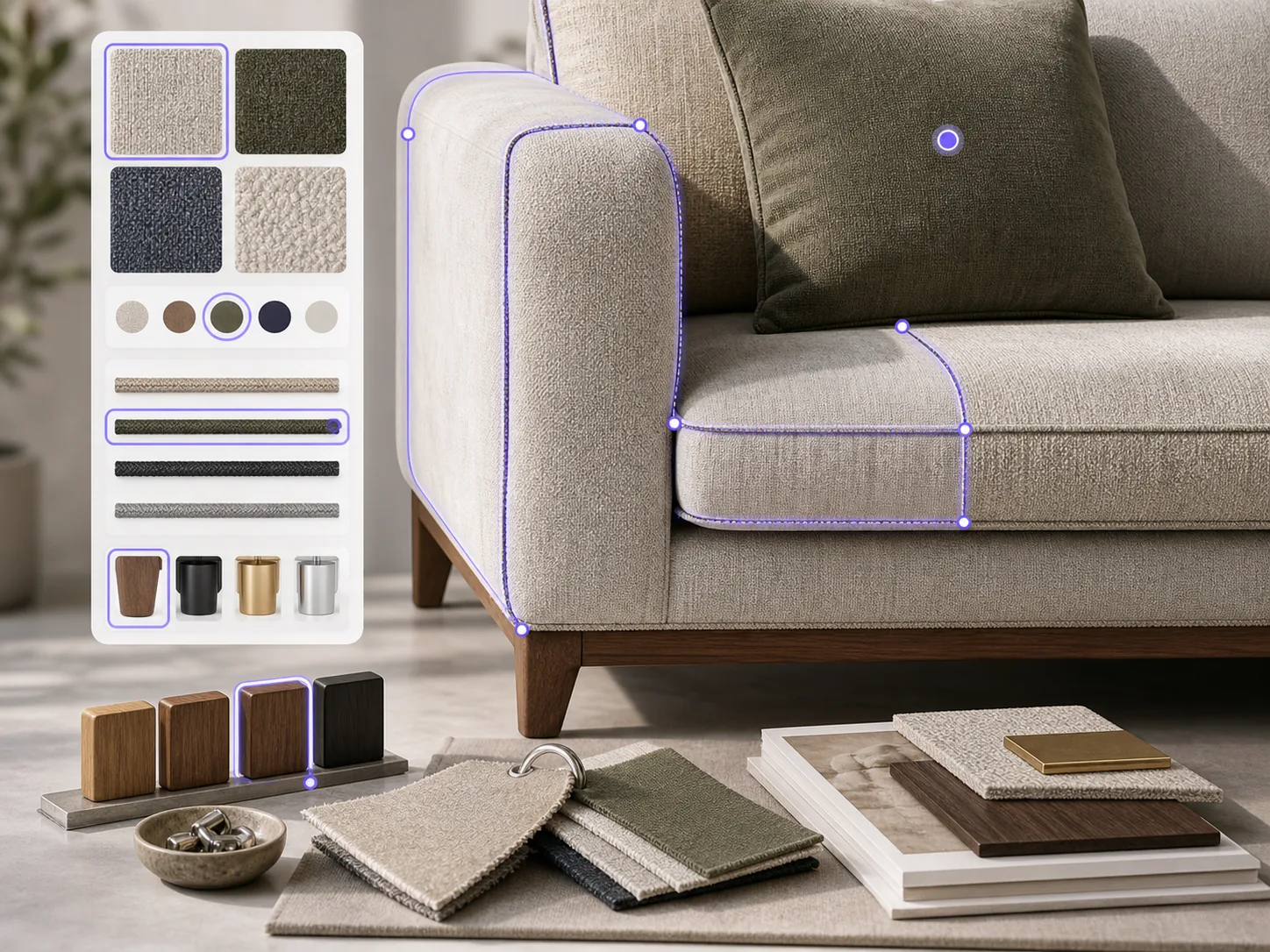
The Livinit furniture configurator is a tool that lets customers choose supported fabrics, finishes, sizes and trims for each part of a furniture frame, such as the body, cushions, piping and legs, and see the result in a room. Livinit maps each frame into the parts you upholster or finish separately and adds your fabric and finish library with pattern scale and codes, so each fabric is sized from its real repeat and width. Customers can also preview their own material (COM). Each frame shows only the options you support for it, and every saved selection gets a shareable link with the product, part and option codes your team quotes and orders from. Upholstery workrooms, fabric houses, manufacturers and retailers use it, and a pilot works from your images, dimensions, pricing and swatches, with no integration.
How does the Livinit furniture configurator work?
Set up your frames
We map each frame into the parts customers can change, such as body, cushions, piping and legs.
Add your library
Your fabrics and finishes are added with pattern scale and codes.
Customers configure
They choose options part by part, see them in a room and share the selection for review.
What do you provide, and what do you get?
You provide
- Frames: images and dimensions
- Fabric and finish library with swatch images, pattern repeat and codes
- Option and pricing rules, if they should be shown
You get
- Configurable frames
- Room scenes with the chosen options
- A shareable link for each saved selection
FAQ
Questions buyers ask
How are the parts of a piece defined?
Livinit divides each frame into the areas you upholster or finish separately, then reviews them with you. Typical parts are the body, seat and back cushions, arms, welt, pillows and legs, agreed for each frame during setup.
Does the preview match the real material?
Use the Livinit preview as a guide, not an exact match. Screens vary, so confirm with a physical swatch before ordering.
Does a pilot need an integration?
No. A Livinit configurator pilot works from your images, dimensions, pricing and swatches, with no integration project.
Can customers use their own fabric (COM)?
Yes. In Livinit, a photo of the customer’s fabric is shown on the frame next to your library, so they see the finished piece before it’s cut. Confirm yardage and approval as you normally do.
Will it follow our option rules?
Yes. In the Livinit configurator, each frame shows only the fabrics, finishes and sizes you support for it.
How does a selection become an order?
Each saved Livinit selection carries the product, part and option codes, so it goes into your order process or your dealer’s.
How fast can we go live?
Livinit configurators go live within a week. You send your frames and fabric library, and Livinit builds the frames and fabrics in 3D for your team and customers.
See it with your products.
We scope your quote on a free 25-minute call with Livinit’s founder. Pick a time that suits you. Prefer email? hello@livinit.ai